

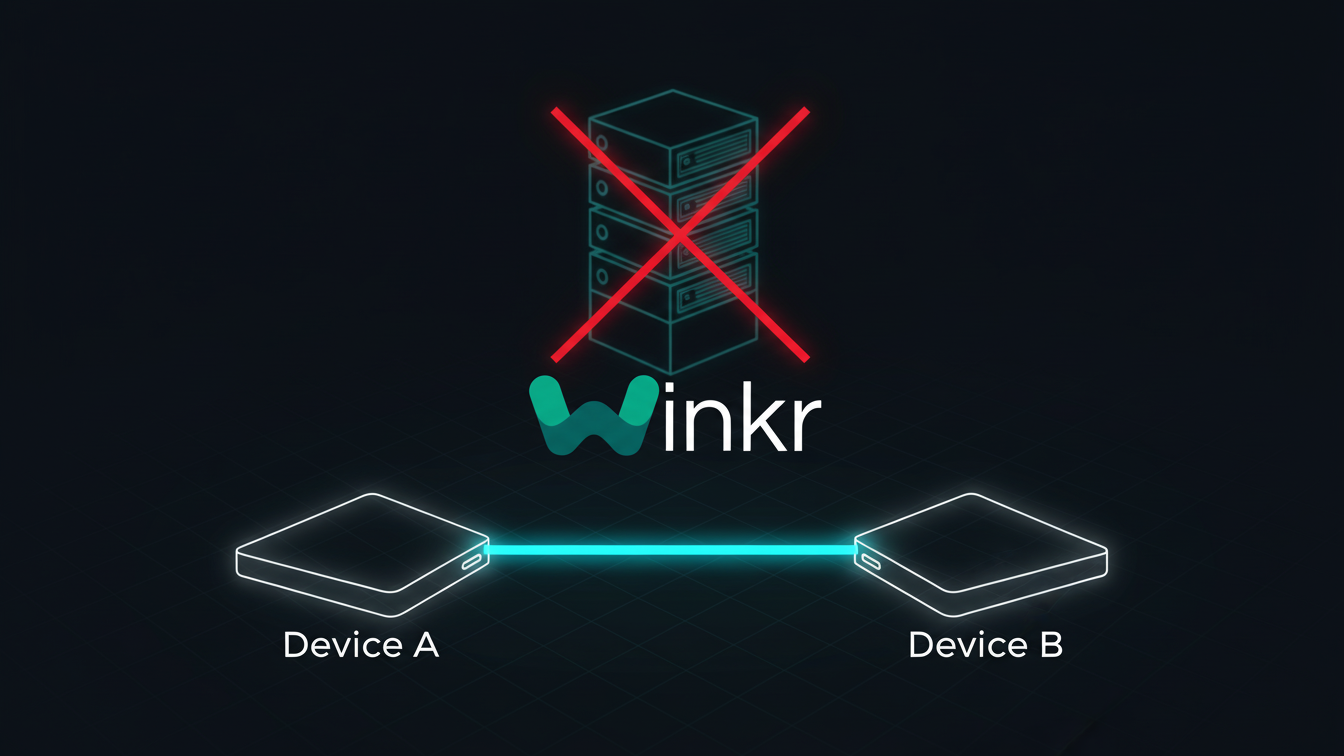
In the early days of the internet, video chat was a nightmare. You needed to download a plugin (remember Flash?). You needed to install a desktop client (Skype). You needed to pray that the servers weren't overloaded.
If you sent a video stream to your friend, it didn't go to your friend. It went from your computer → to a massive corporate server farm → processed → re-encoded → and then sent to your friend.
This "Hub-and-Spoke" model had three fatal flaws:
1. Latency: Your data traveled unnecessary thousands of miles.
2. Cost: Bandwidth is expensive.
3. Privacy: The server saw everything.
Then came WebRTC (Web Real-Time Communication). It changed the physics of the internet. It allowed your browser to ignore the server and talk directly to another browser. It is the technology that powers Google Meet, Discord, and—most importantly—Winkr.
But how does it actually work? How can your computer find a stranger's computer without a central address book? And why does this make Winkr the most secure random chat platform in existence? This is the comprehensive engineering deep dive into the protocol that powers our world.
The "Handshake" Problem
The first challenge of Peer-to-Peer (P2P) networking is that computers don't know who they are. Your laptop knows its local IP address (like 192.168.1.5), but that address is meaningless to the outside world. It helps you find your printer, not a stranger in Brazil.
To connect two strangers, we need a Signaling Server. Think of this server not as a post office, but as a matchmaker at a noisy bar. It doesn't carry the conversation; it just introduces the two parties.
Step 1: The Offer (SDP)
When you click "Start" on Winkr, your browser generates a text file called an SDP (Session Description Protocol). This file is your digital resume. It says:
"Hi, I support these video codecs (VP8, H.264). I support these audio codecs (Opus). I am willing to receive data on these ports."
Step 2: The Answer
We send this SDP to your partner via a WebSocket. They look at it, check what they support, and send back an "Answer SDP."
"Okay, I also speak VP8. Let's use that. I don't speak H.264. I am ready to receive."
Once this exchange happens, the browsers agree on the language they will speak. But they still don't know where the other person is.
NAT Traversal: Punching a Hole in the Firewall
The internet is running out of addresses. Because of IPv4 exhaustion, most devices sit behind a NAT (Network Address Translator). Your router has one public IP address (assigned by your ISP), but you have 10 devices connected to it (phone, laptop, fridge, etc.).
From the outside, your laptop is invisible. If a stranger tries to send data to your public IP, your router blocks it because it doesn't know which device inside the house should receive it.
To solve this, WebRTC uses a protocol called ICE (Interactive Connectivity Establishment). It is a brute-force method of finding a path.
The Mirror: STUN Servers
First, your browser asks a STUN (Session Traversal Utilities for NAT) server: "Who am I?"
The STUN server looks at the request and replies: "You are coming from Public IP 203.0.113.5:4500."
Now your browser knows its own public address. It adds this to a list of "ICE Candidates" and sends it to the other peer.
"Try to connect to me at my local address (192.168...). If that fails, try my public address (203.0...)."
The Relay: TURN Servers (The Heavy Artillery)
Sometimes, STUN fails. Corporate firewalls (Symmetric NATs) are smart. They change your port every time you talk to a different server. They block direct P2P connections completely.
In these cases (about 15-20% of users), we use a TURN (Traversal Using Relays around NAT) server. This is a cloud server Winkr pays for.
If Peer A and Peer B cannot touch hands, they both connect to the TURN server. Peer A sends video to TURN -> TURN forwards to Peer B.
Crucial Security Note: Even when using TURN, the data is encrypted End-to-End. The TURN server is just a dumb pipe. It passes encrypted packets. It cannot decrypt them to see the video. It essentially acts as a blind courier.
The Security Layer: DTLS-SRTP
In the old days (HTTP), data was sent in plain text. If you were on coffee shop Wi-Fi, a hacker could "sniff" the packets and reconstruct your video stream.
WebRTC enforces encryption by default. You literally cannot use it without encryption. It uses two protocols:
1. DTLS (Datagram Transport Layer Security)
This is the same tech that secures your credit card on Amazon (TLS), but adapted for streaming. During the handshake, your browsers exchange cryptographic keys. This key exchange is authenticated so Man-in-the-Middle attackers cannot inject their own keys.
2. SRTP (Secure Real-time Transport Protocol)
Once the keys are swapped, the actual media (video/audio) is encrypted using AES-128 or AES-256. Every single packet of video is scrambled. To an outsider, your face looks like static noise.
Because the keys are generated on the fly (ephemeral) and stored only in RAM, there is no "master key" stored in a database. Winkr employees cannot watch your streams because we don't have the math to unlock them.
Why Latency is Lower with WebRTC
Speed is a feature. In a conversation, a delay of 500ms is perceptible. A delay of 1 second is annoying. A delay of 2 seconds breaks the flow.
WebRTC minimizes latency via UDP (User Datagram Protocol).
Most internet traffic uses TCP (Transmission Control Protocol). TCP is reliable. If a packet gets lost, TCP asks for it again. "Hey, I missed packet #45, send it again!" This ensures 100% accuracy (good for loading a webpage) but adds delay.
WebRTC uses UDP. UDP is "fire and forget." It sends packets as fast as possible. If packet #45 gets lost? Too bad. We skip it.
In video chat, this is what you want. You don't want to pause the live stream to wait for a "lost frame" from 2 seconds ago. You want the now. This approach keeps Winkr's latency under 100ms for 90% of connections.
Winkr's Custom Implementation: The "Hybrid Mesh"
Standard WebRTC is wonderful for 1-on-1 calls. But what about features like our "Moderation AI" or "Group Chat"?
We built a hybrid architecture using Mediasoup (a Node.js WebRTC SFU).
Normally, your stream goes P2P. But if you flag a user, or if our client-side AI detects a violation, we can instantly switch the routing to our SFU (Selective Forwarding Unit) to record a 10-second snippet for evidence. This snippet is encrypted with a highly restricted "Moderation Key" that only 3 senior staff members have access to.
This gives us the best of both worlds: The privacy of P2P for 99.9% of the time, and the safety of server-side enforcement only when a Terms of Service violation occurs.
The Future: WebCodecs and Insertable Streams
We are currently experimenting with the cutting edge of WebRTC: Insertable Streams.
This technology allows us to modify the video before it is encoded and sent.
Imagine "Real-Time Background Removal" running at 60fps in the browser.
Imagine "Voice Masks" that change your pitch locally.
This is where Winkr is heading. We aren't just connecting video; we are building a programmable real-time reality.
Conclusion
WebRTC is the unsung hero of the modern web. It democratized communication. It took power away from the telecom giants and gave it to the browser.
When you use Winkr, you aren't just using an app. You are using a marvel of decentralized engineering. You are punching holes in firewalls, encrypting data with military-grade ciphers, and routing light pulses through glass fibers at the speed of conversation.
And the best part? You don't have to understand any of it. You just have to click "Start."